How it works
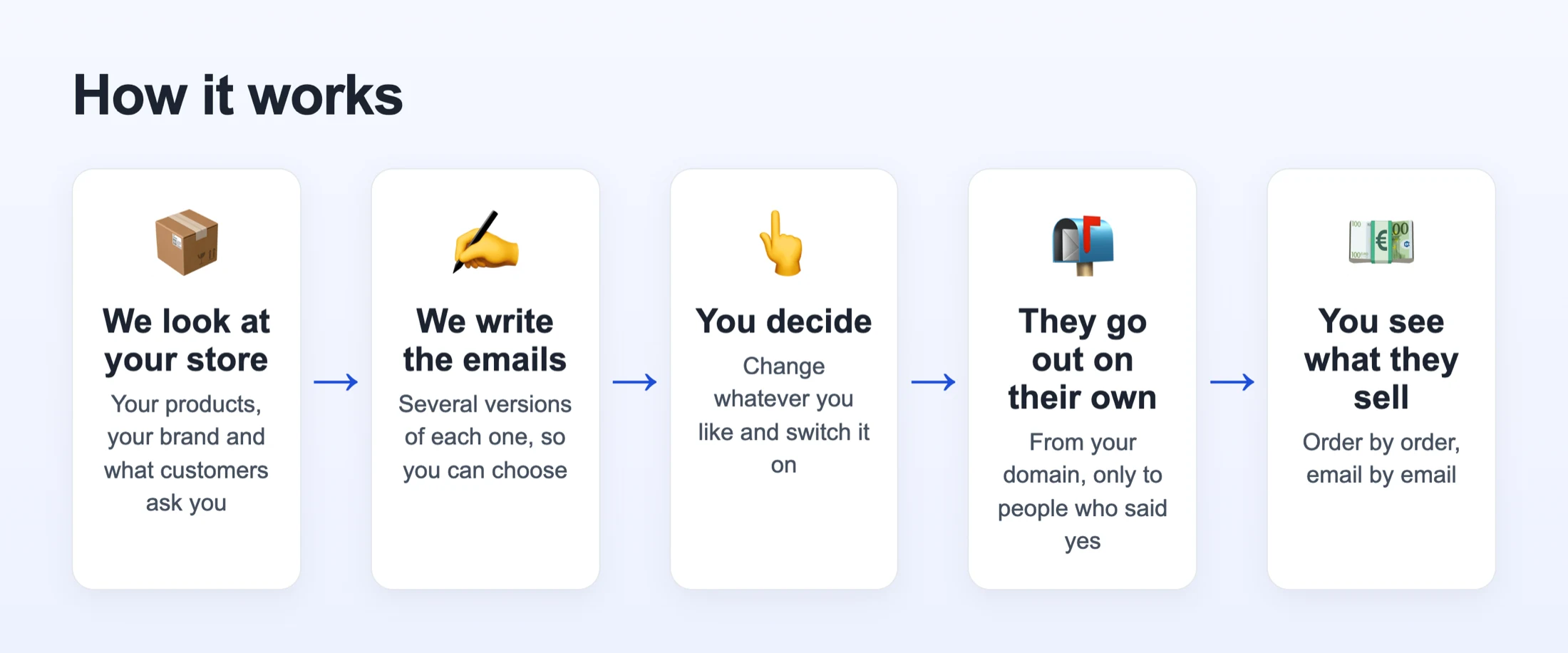
We read your catalogue, your brand and the topics people write to support about. With that we draft each email in several versions. You pick one, change whatever you like and switch it on. From then on it goes out by itself.
Three automations, on top of your carts
If you sell linen sheets, the email that lands an hour after the purchase explains how to wash them before first use, because that's what people ask you most. Three days later, a tip. On day twelve, once they've slept in them, the review request.
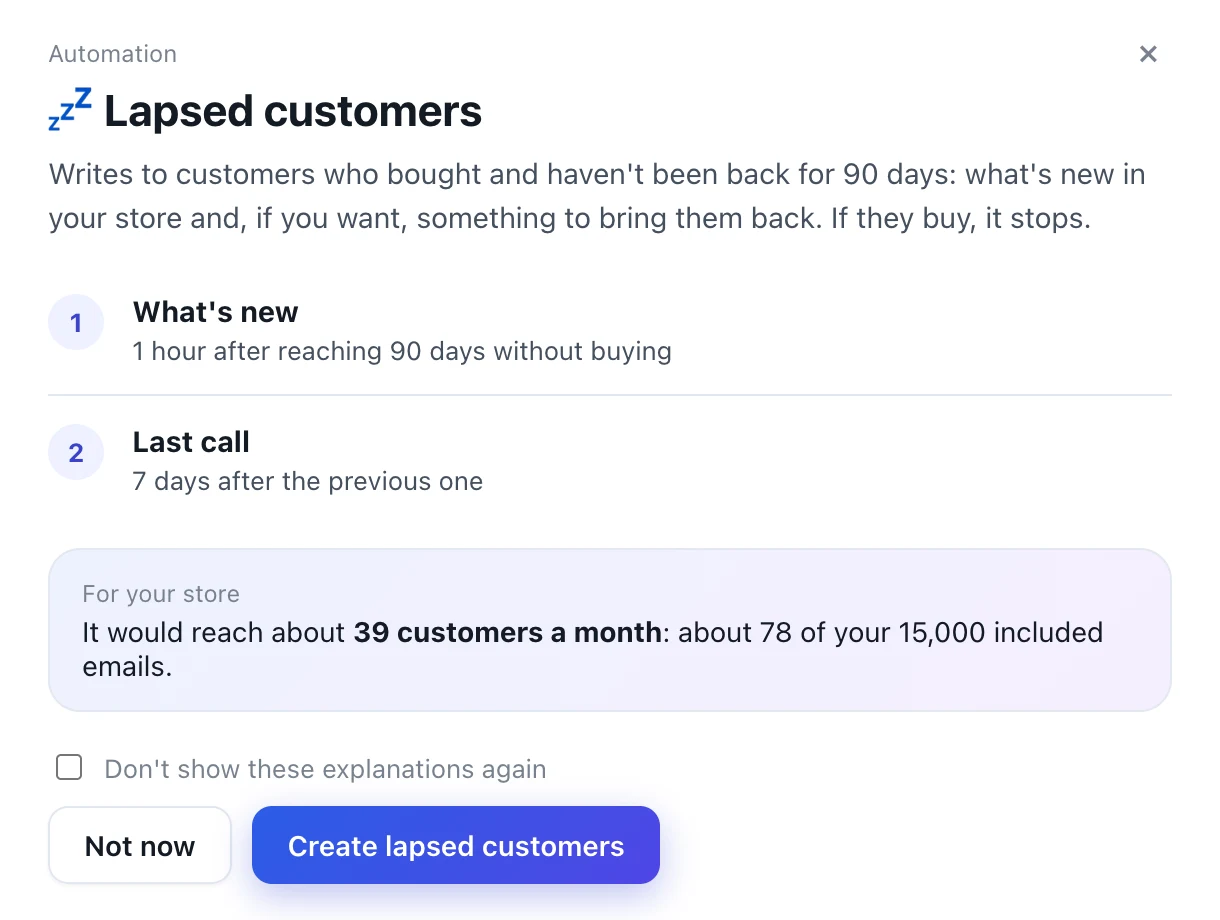
Before you create one, we show you which emails it sends, when each goes out and how many of your customers it would reach in a month.
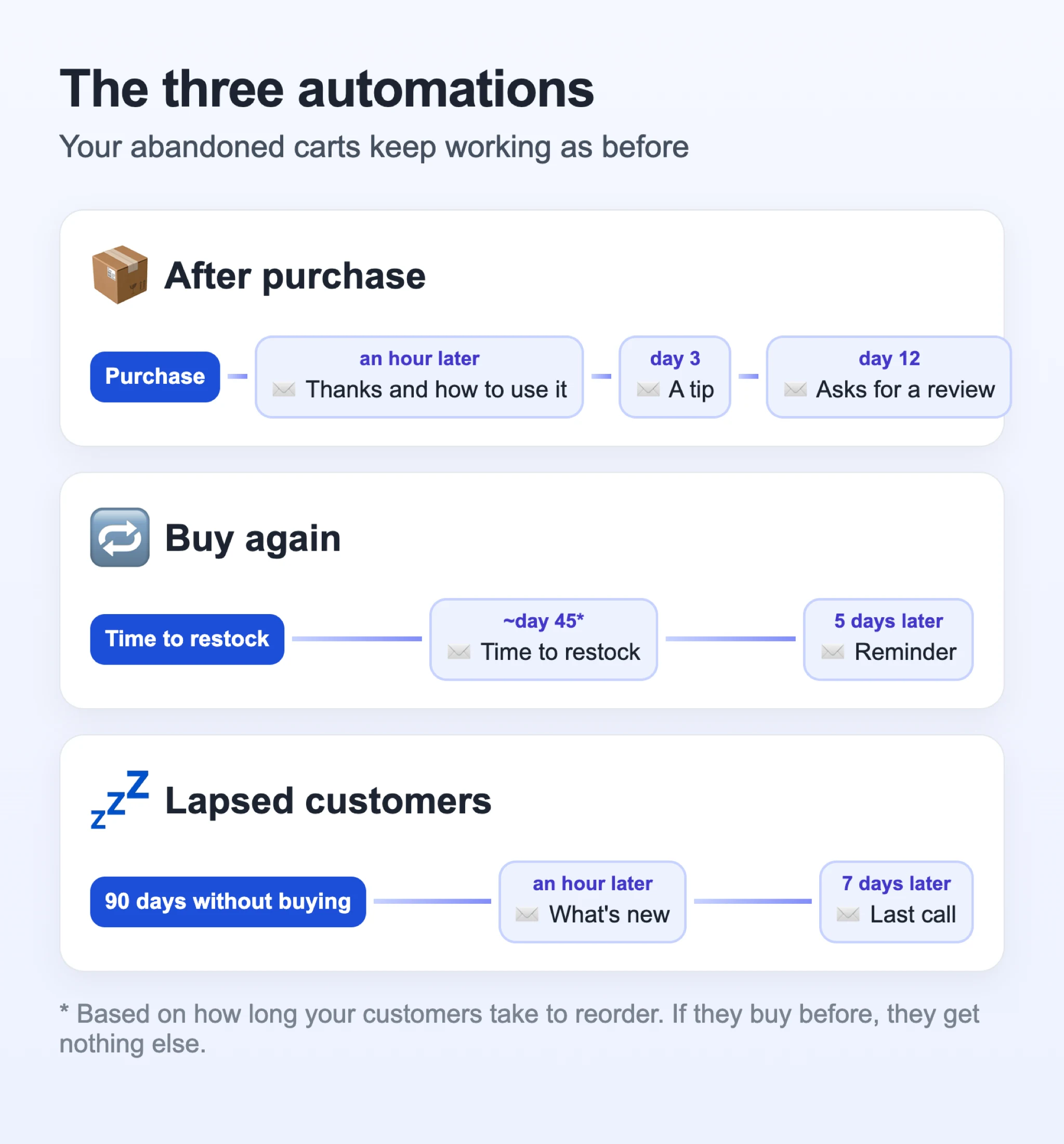
- After purchase: thanks, how to use it, a tip and the review.
- Buy again: a nudge when, going by how long your customers take to reorder, it should be time to restock.
- Lapsed customers: writes to people who haven't bought in 90 days, with what's new in your store. If they buy, it stops.
Campaigns with the date already set
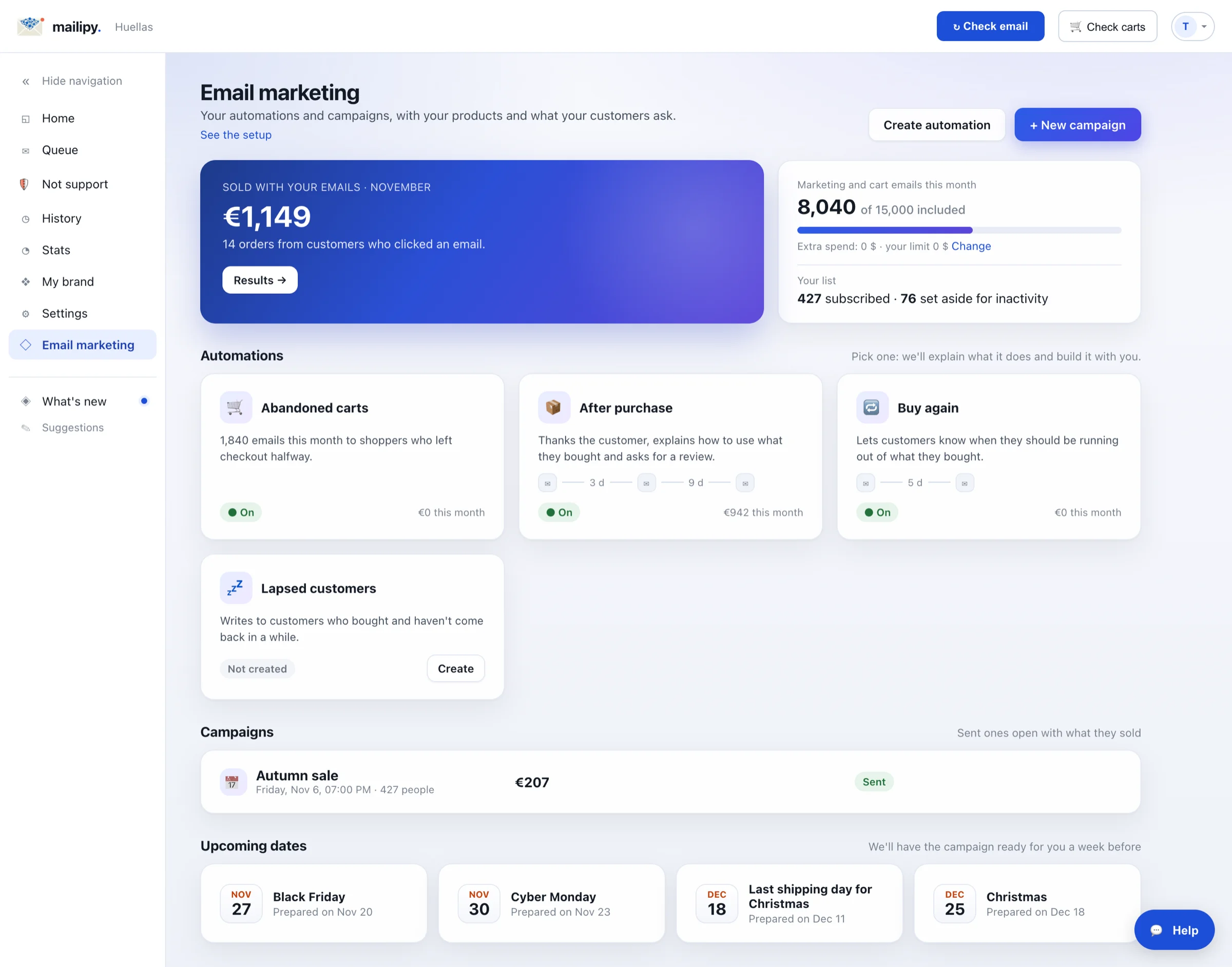
Black Friday, Cyber Monday, the last shipping day before Christmas. We have the campaign ready a week before and you decide whether it goes out. If you want to send something else, ask for it in one sentence or start from scratch.
You tell us, we write it
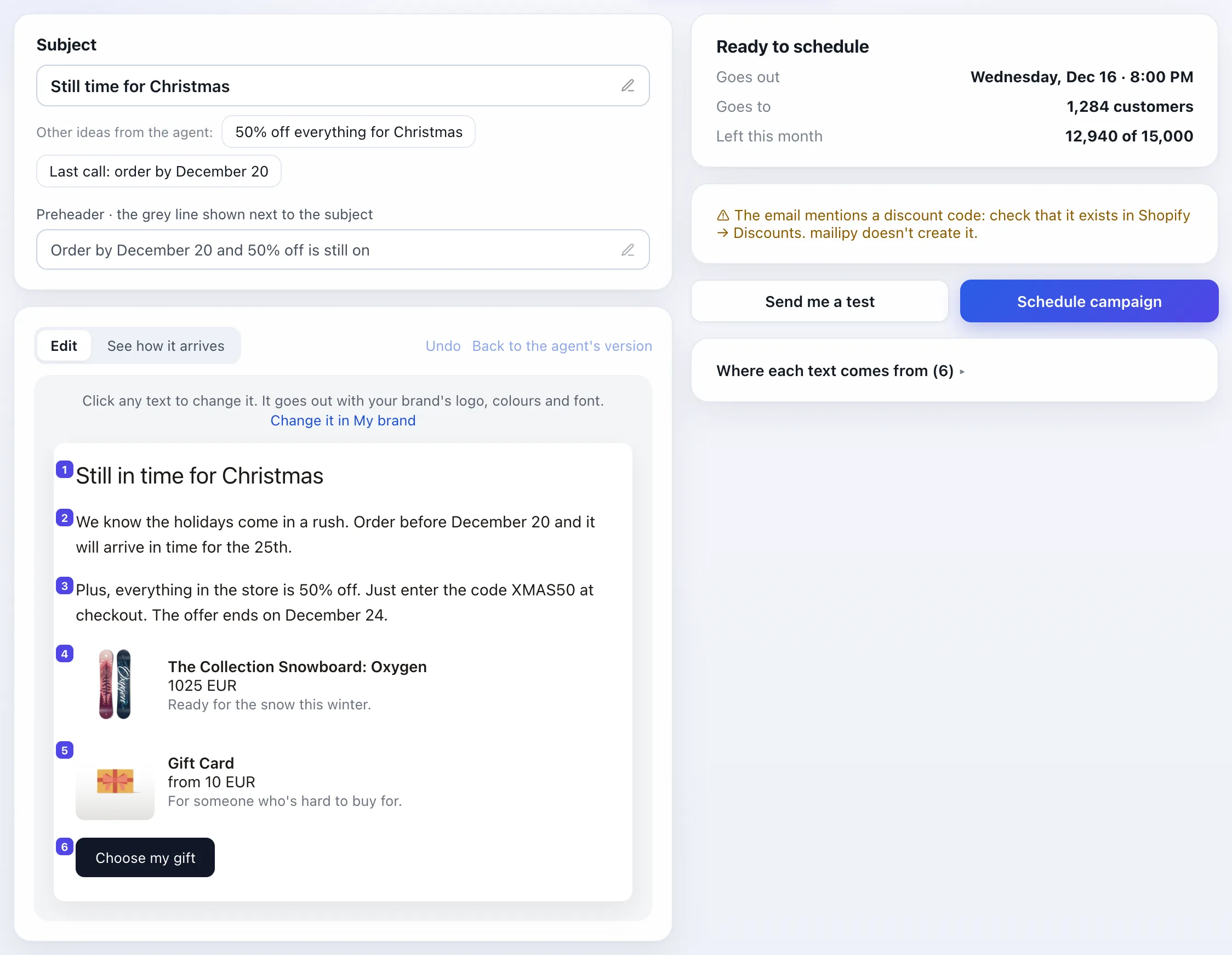
Before writing, we ask you a few short questions: what you're offering, until when, which products you want to show. At the end we show you a summary of everything and only carry on when you say it's right.
Products come with their photo, price and link, straight from your store. In the email you click any text to change it, ask for a different tone or swap one product for another. And before scheduling it you send it to your own inbox to see it the way your customer will.
Who gets them
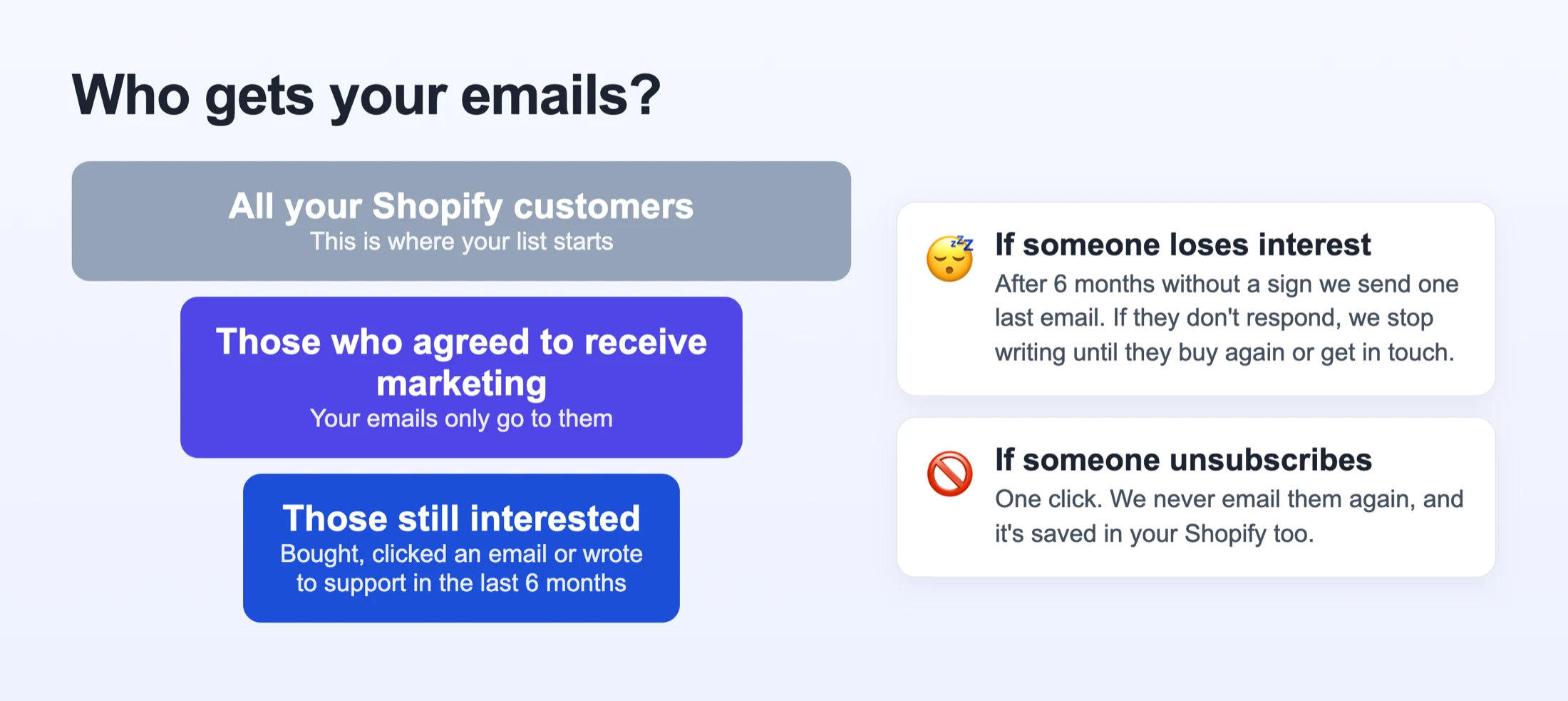
We only email customers who agreed to receive marketing in your Shopify. If someone has ignored you for half a year, we send one last email before we stop writing to them. That keeps your emails landing in everyone else's inbox.
And they go out from your domain, with an address like hello@news.yourstore.com. What your customer receives is signed by your store.
What each email sells
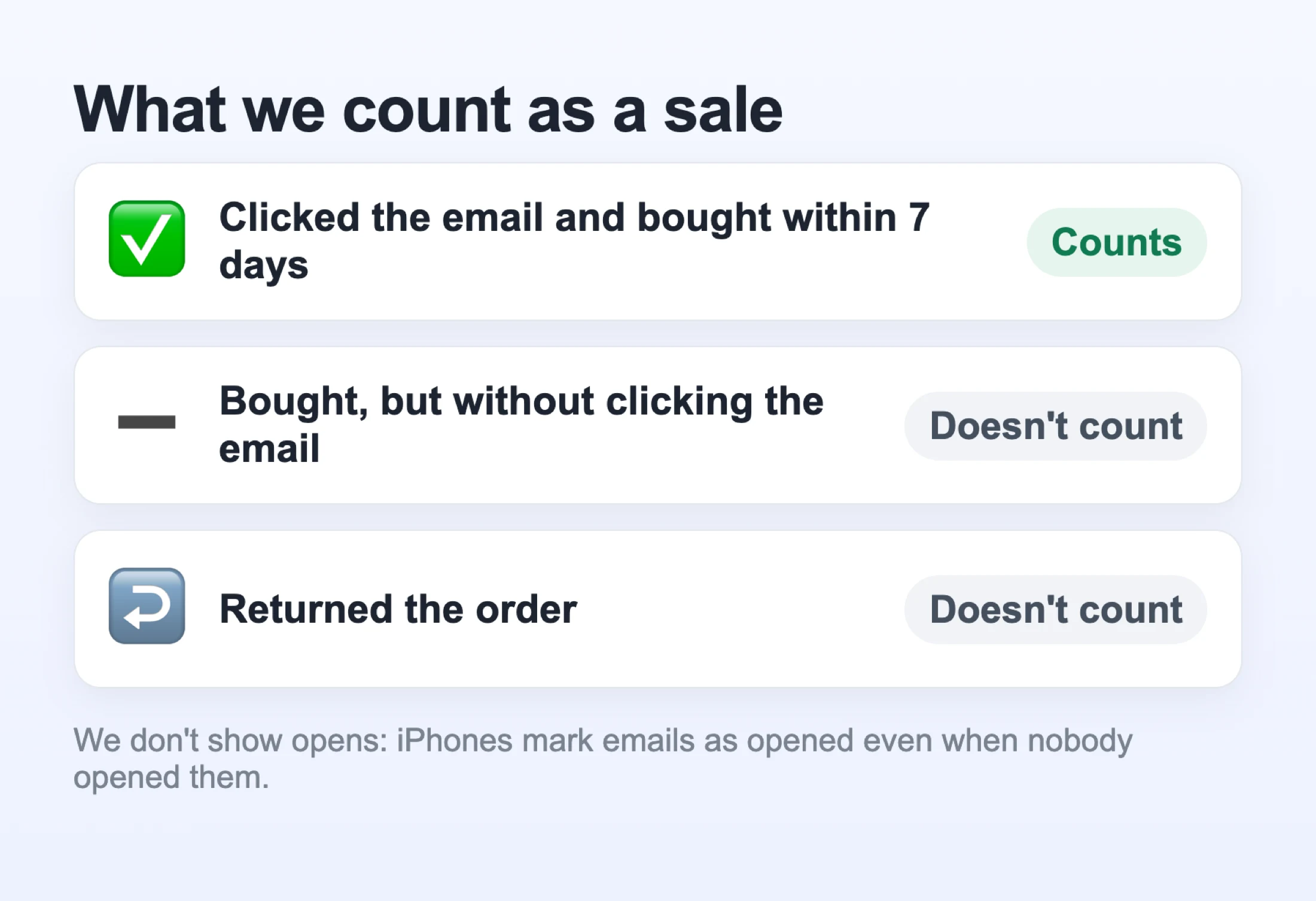
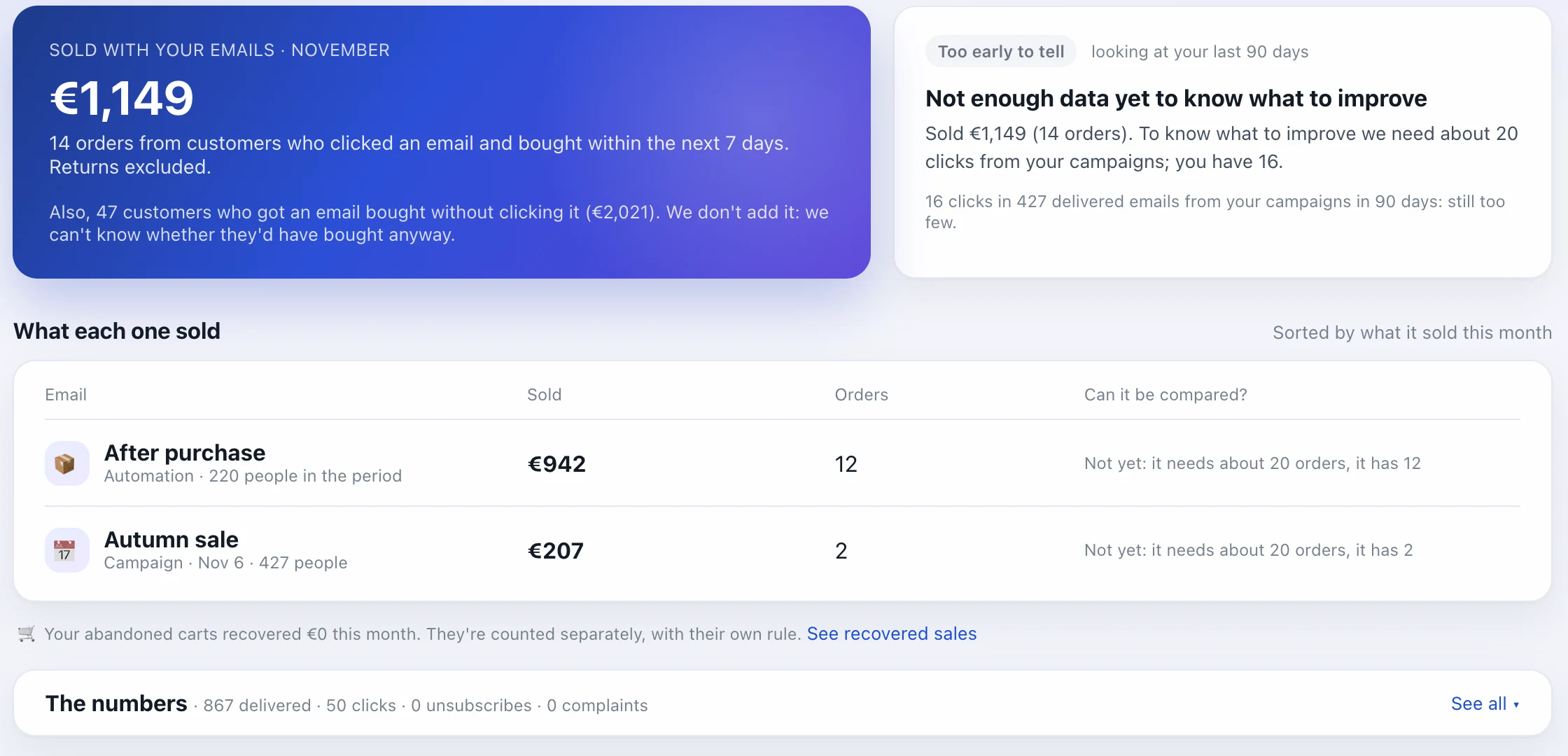
We count a sale when someone clicks your email and buys within the next seven days. If they bought without clicking, you see it separately and we don't add it.
With a small list it takes a few weeks to know which email works better. Until then, the screen tells you how many clicks are still missing.
What it costs
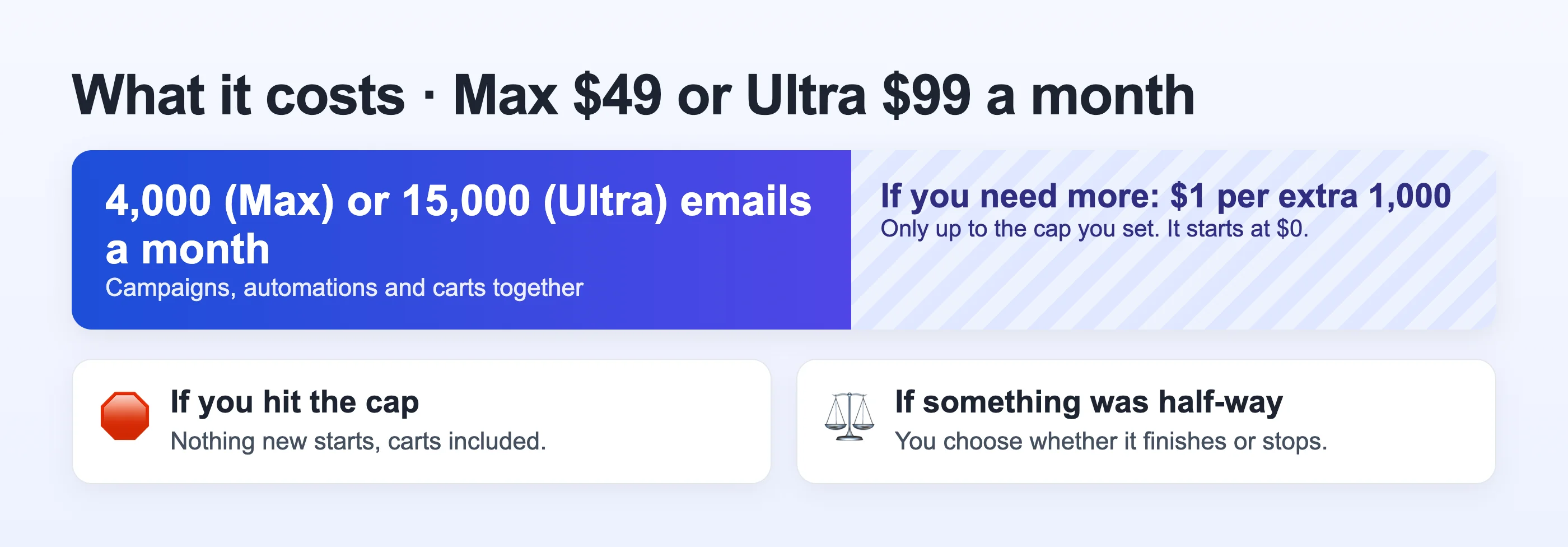
It's on Max, $49 a month with 4,000 emails, and on Ultra, $99 a month with 15,000, counting campaigns, automations and carts together. If you need more one month, each extra 1,000 costs $1, but only if you raise your cap, which starts at $0. It's billed on your Shopify invoice.
How to get started
Connect your domain
We give you the records ready to paste at your domain provider.
Give permission in Shopify
So we know who agreed to your emails and what they bought. We don't ask for addresses or phone numbers.
Create your first automation
We suggest starting with the after-purchase one.
Questions
Do I need my own domain?
Yes. Without it we can't send your marketing emails. If your cart emails already go out from your domain, that step is done.
Can I write the emails myself?
Yes. You can change any sentence right in the email before switching it on, and you can start a campaign from scratch.
What happens to my abandoned carts?
They keep working the same way. With email marketing, their emails count towards your plan's monthly emails.
What if I reach my plan's emails?
We warn you before you get there. When you hit your cap nothing new starts, and anything half-way you can finish or stop, as you prefer.
Does anything go out without me seeing it?
No. An automation sends nothing until you switch it on, and a campaign goes out on the day and at the time you choose.