What changes in your draft
Until now, without the shipping status, all it could give the customer was the tracking number and the link. With the status, it answers what they asked.
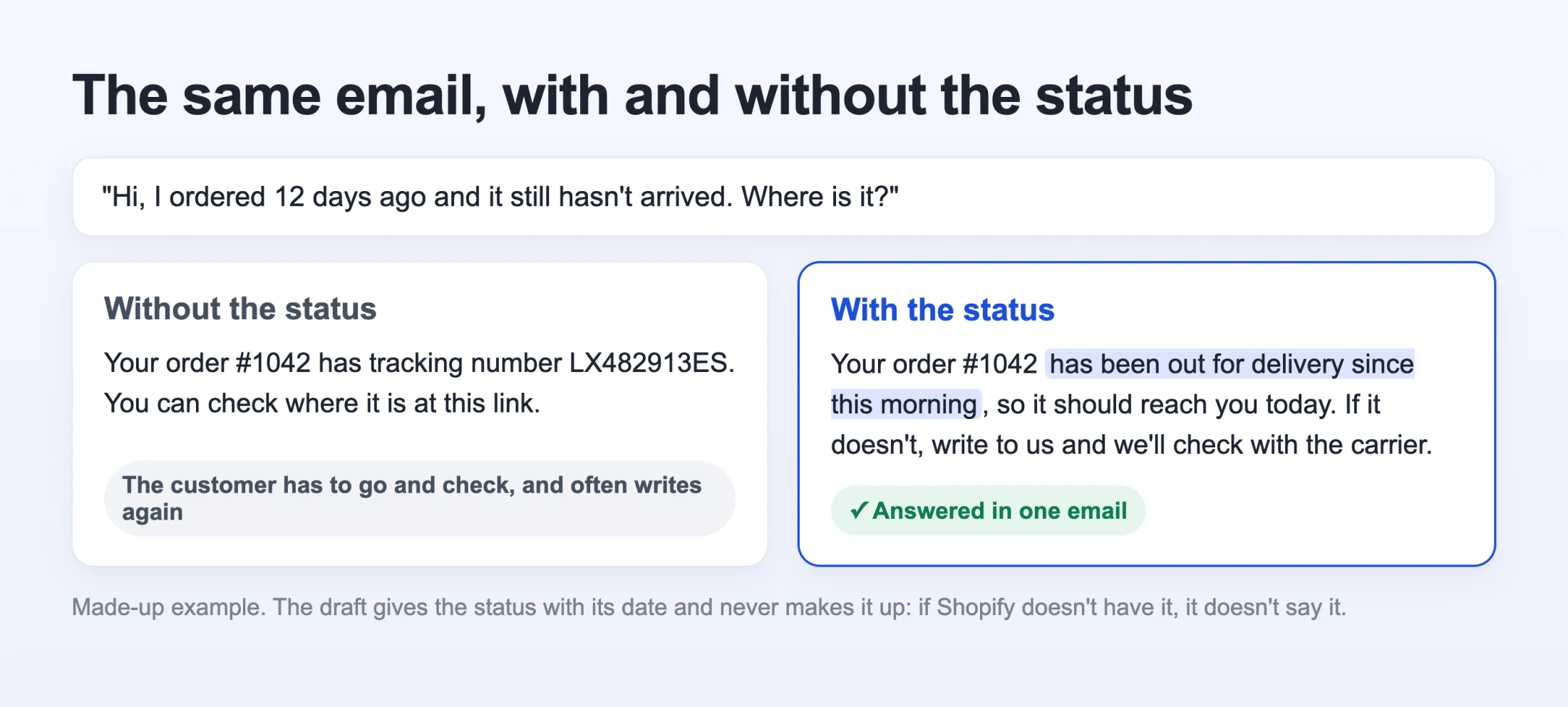
- The milestone with its date: in transit, out for delivery, delivered, delivery attempt or exception.
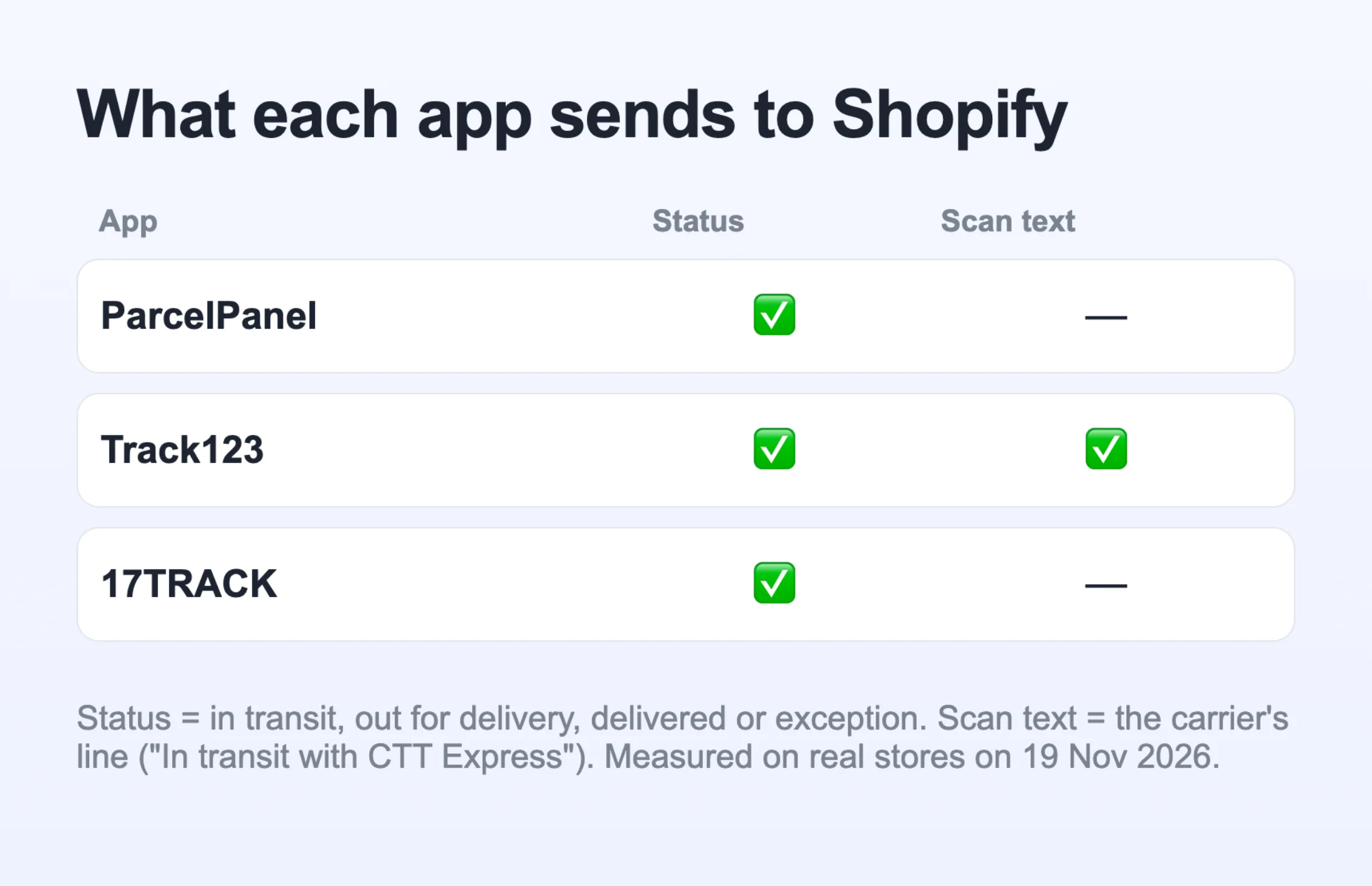
- The latest scan, if your app sends it: "In transit with CTT Express".
- It never makes it up: if Shopify doesn't have the status, the draft doesn't claim it.
Where it comes from
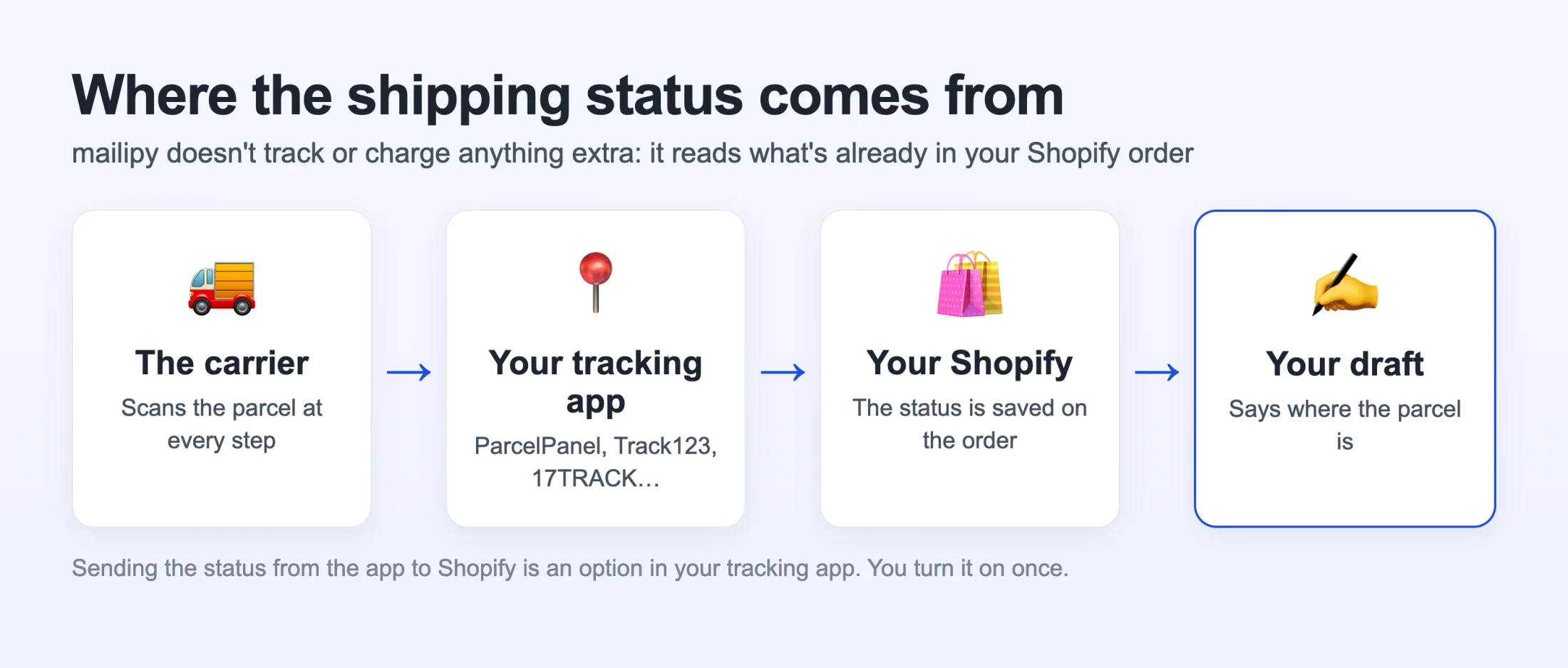
Your tracking app already knows where every parcel is. With one option, it saves that status on the Shopify order, and mailipy reads it with the permission it already has. Nothing extra to pay or connect.
How to turn it on
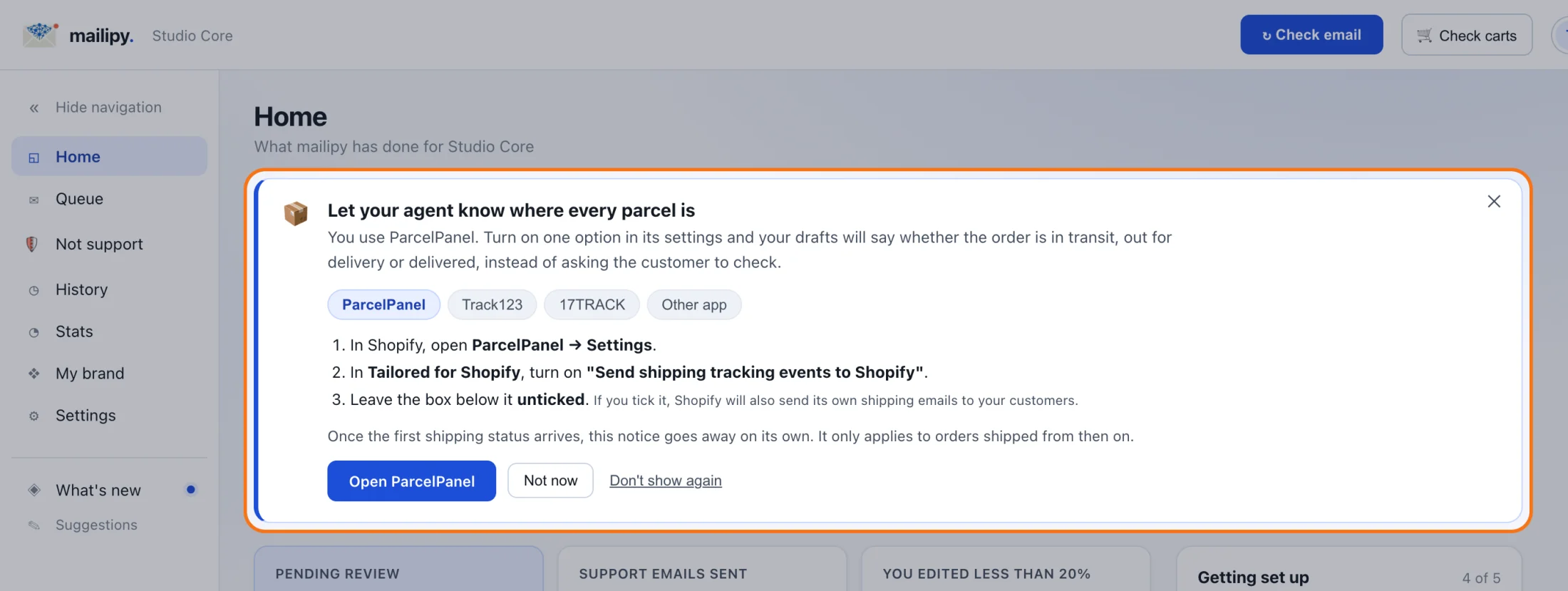
If mailipy sees your shipped orders arriving without a status, it tells you on Home, with the steps for your app. As soon as the first status arrives, the notice goes away on its own.
In ParcelPanel
Settings → Tailored for Shopify → turn on "Send shipping tracking events to Shopify". Leave the box below it unticked.
In Track123
Settings → turn on "Send shipping tracking events to Shopify". It's on its free plan.
In another app
Look for an option that sends the shipping status to Shopify ("Sync status to Shopify" or similar).
One box you'll want to leave unticked
When you turn the option on, ParcelPanel offers to have Shopify send its own "out for delivery" and "delivered" emails to your customers. If you tick it, they'll start getting emails they don't get today. Leave it unticked, unless that's exactly what you want.
Questions
Does it cost anything?
No. It's on every mailipy plan. The option in your tracking app may depend on its plan: in Track123 it's on the free one.
Does it work for orders I've already shipped?
Only for shipments that move after you turn the option on. Earlier ones stay without a status.
Does mailipy send shipping notifications to my customers?
No. It only uses the status to reply better when they write to you. Shipping notifications are sent by Shopify or your tracking app, if you have them on.
Why doesn't the latest scan show with ParcelPanel?
Because ParcelPanel sends Shopify the milestone (in transit, out for delivery, delivered) but not the carrier's text. Track123 sends both.
What if my tracking app doesn't have that option?
The draft keeps giving the tracking number and link, as before. Track123 has the option on its free plan.