What changes
Your customers see the email coming from an address on your domain, with your brand in the sender, and the reputation of those emails belongs to your domain. The emails don't go through your mailbox, so they don't count against your email provider's sending limit and can't get your account throttled.
You turn it on in Settings → App → Cart recovery → “Your cart sender”.
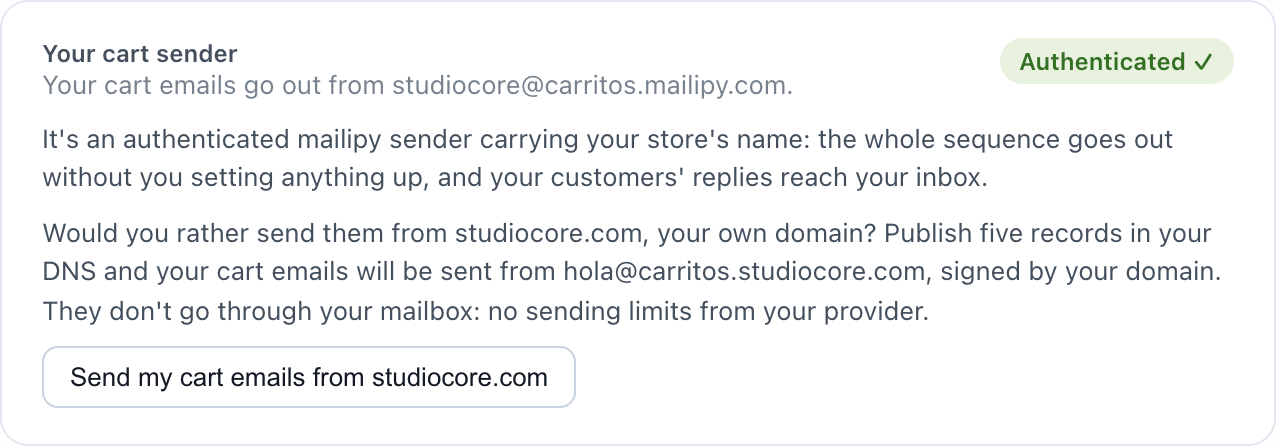
How to set it up
Press the button and the wizard asks where you bought your domain, opens its panel and gives you the five records to copy: three for the signature (DKIM) and two for the technical sender. Each one with its copy button and its status.
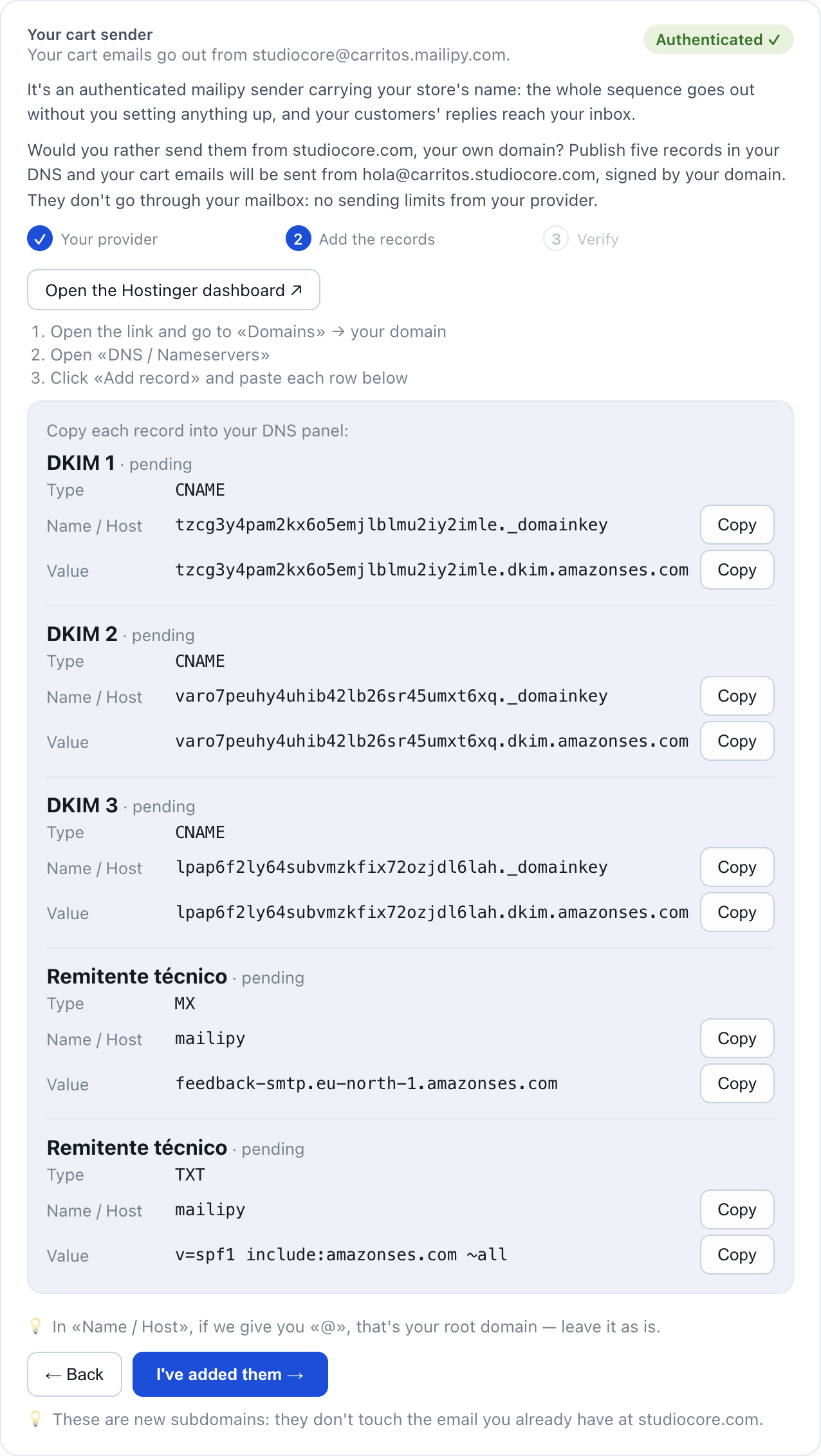
- They are new subdomains inside your domain: they don't touch the email you already have or your current records.
- There's nothing to press again: as soon as the records are published we detect it on our own and your cart emails start going out from your domain.
- In the meantime they keep going out from mailipy's sender. You don't lose a single email.
What happens next
The card tells you which address they go out from and that we check it every day. If a record disappeared, your cart emails would go back to mailipy's sender and we would write to you saying which one is missing.
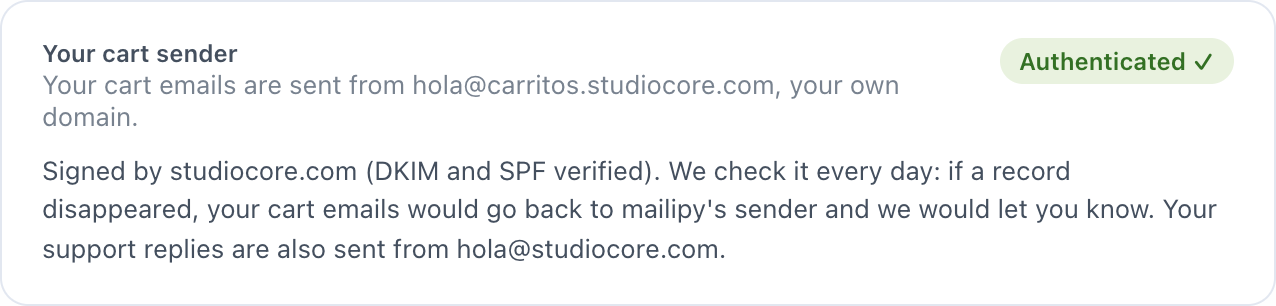
If you connected your email by forwarding, your support replies also go out from your address instead of a mailipy one. If you connected it with a password, your support keeps going out through your mailbox, as before.
Who it's for
| Your situation | What to do |
|---|---|
| Your cart emails go out from <store>@carritos.mailipy.com and you own a domain | This. Five records and done. |
| Your email is Gmail, Outlook or another provider | Not possible: that domain isn't yours. Your cart emails keep going out just as well from mailipy's sender. |
| You already send your cart emails from your own mailbox | Nothing changes. Keep going as you are. |
How much it costs
Nothing extra. It's on every plan.
Questions
Do I need to buy a domain or change my email?
No. They're five records inside the domain you already have. Your email and your addresses stay the same.
Which address do the cart emails come from?
From your support address, on a carts subdomain: for example hello@carritos.yourstore.com. If the customer replies, it lands in your usual inbox.
Why a subdomain and not my domain itself?
So the reputation of cart emails, which are marketing, stays separate from your support's. It's what the big platforms do and what Google recommends.
I added the records and it's still pending
DNS can take from a few minutes to 48 hours. The most common mistake is typing the name with the whole domain when your panel expects it relative. If it doesn't sort itself out, write to us from the portal.