What you see next to the draft
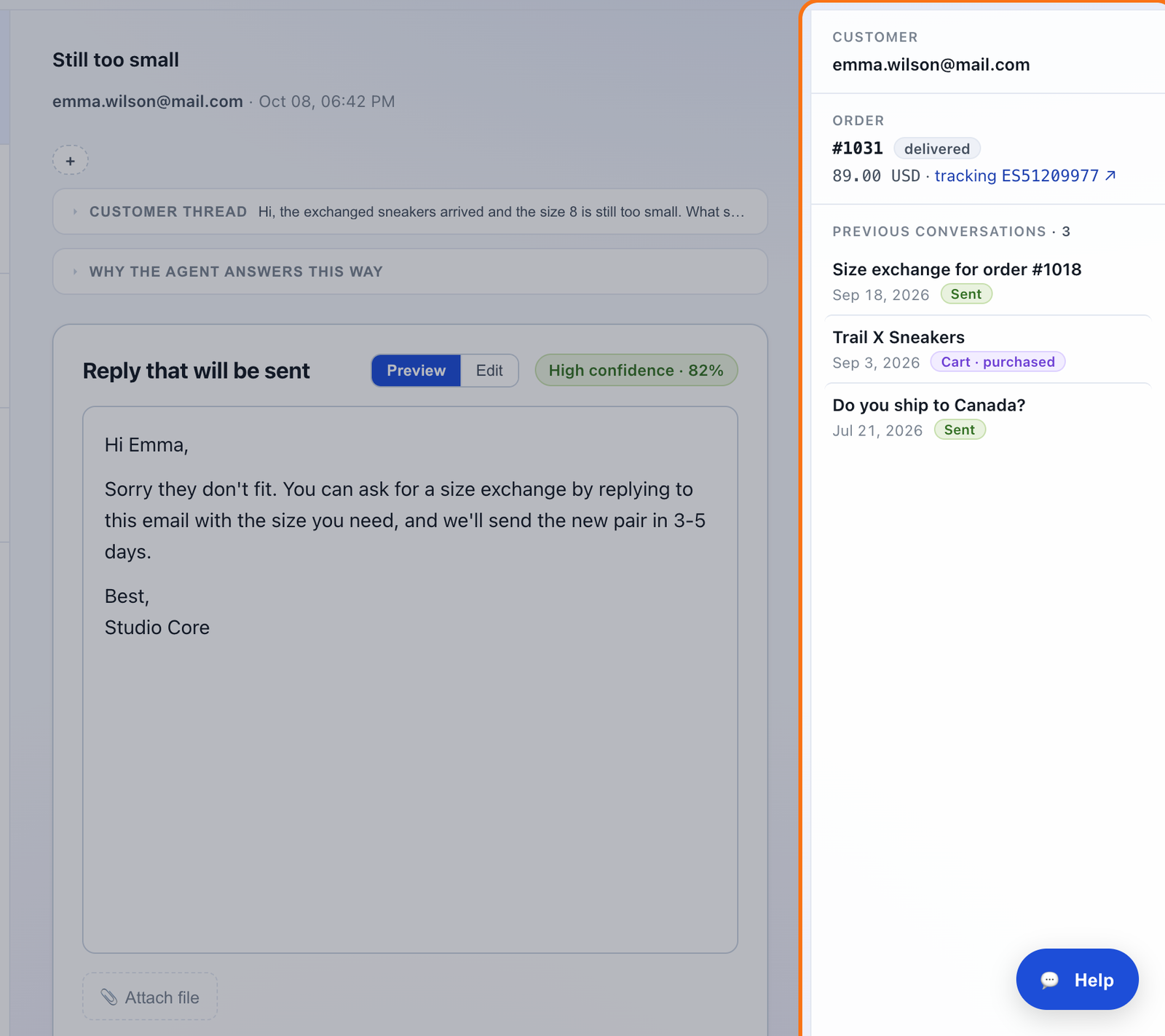
- Their email address.
- The order for this email, with links to Shopify and to the shipment tracking.
- Their previous conversations, newest first, with the date and how each one ended: sent, rejected, in the queue or a cart, and whether they bought.
Reading a previous conversation
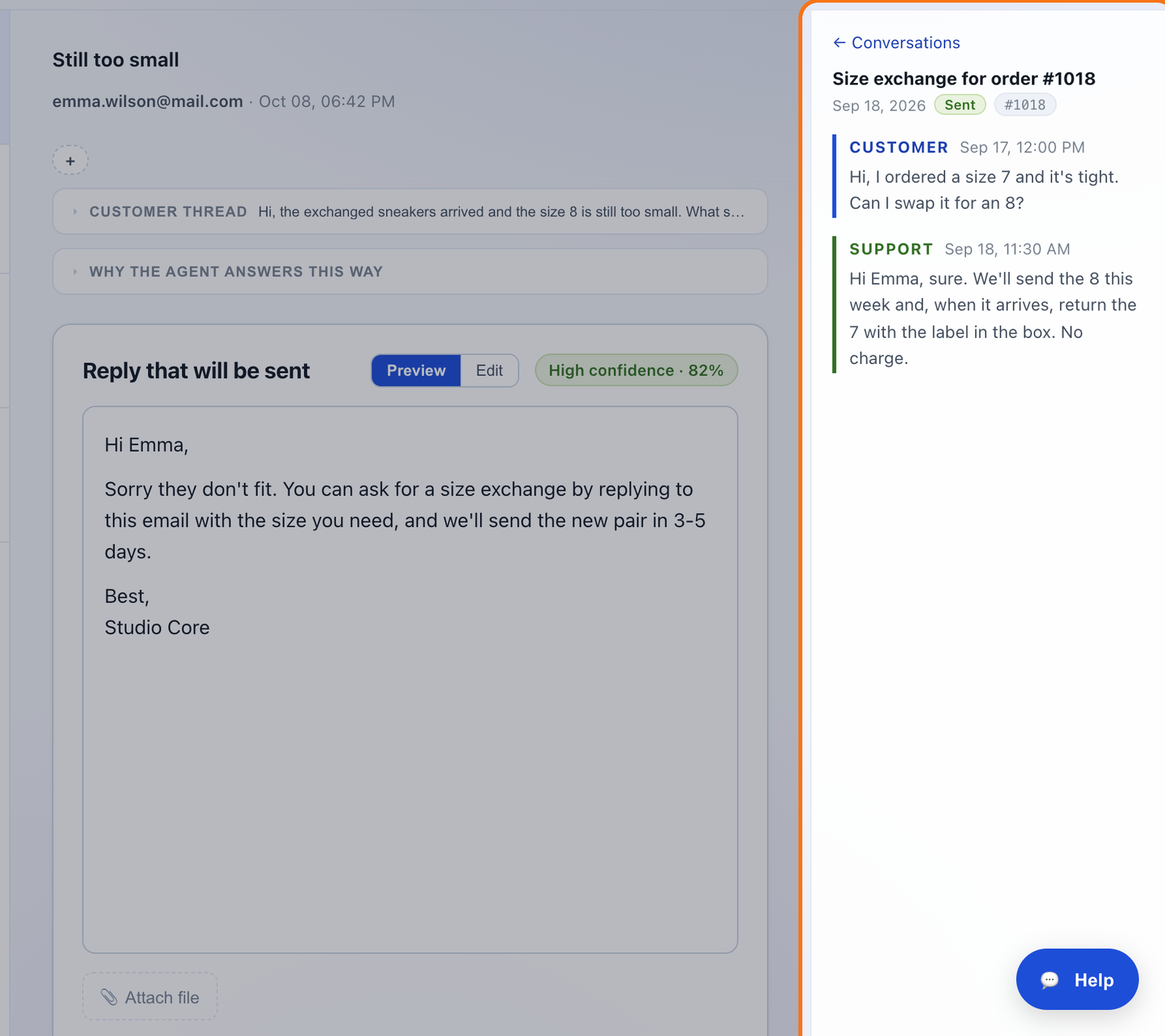
Click one and it opens in the same panel, with what the customer wrote and what they were told. “← Conversations” takes you back to the list. The draft doesn't move and isn't covered: it stays next to you while you read.
When it's their first email
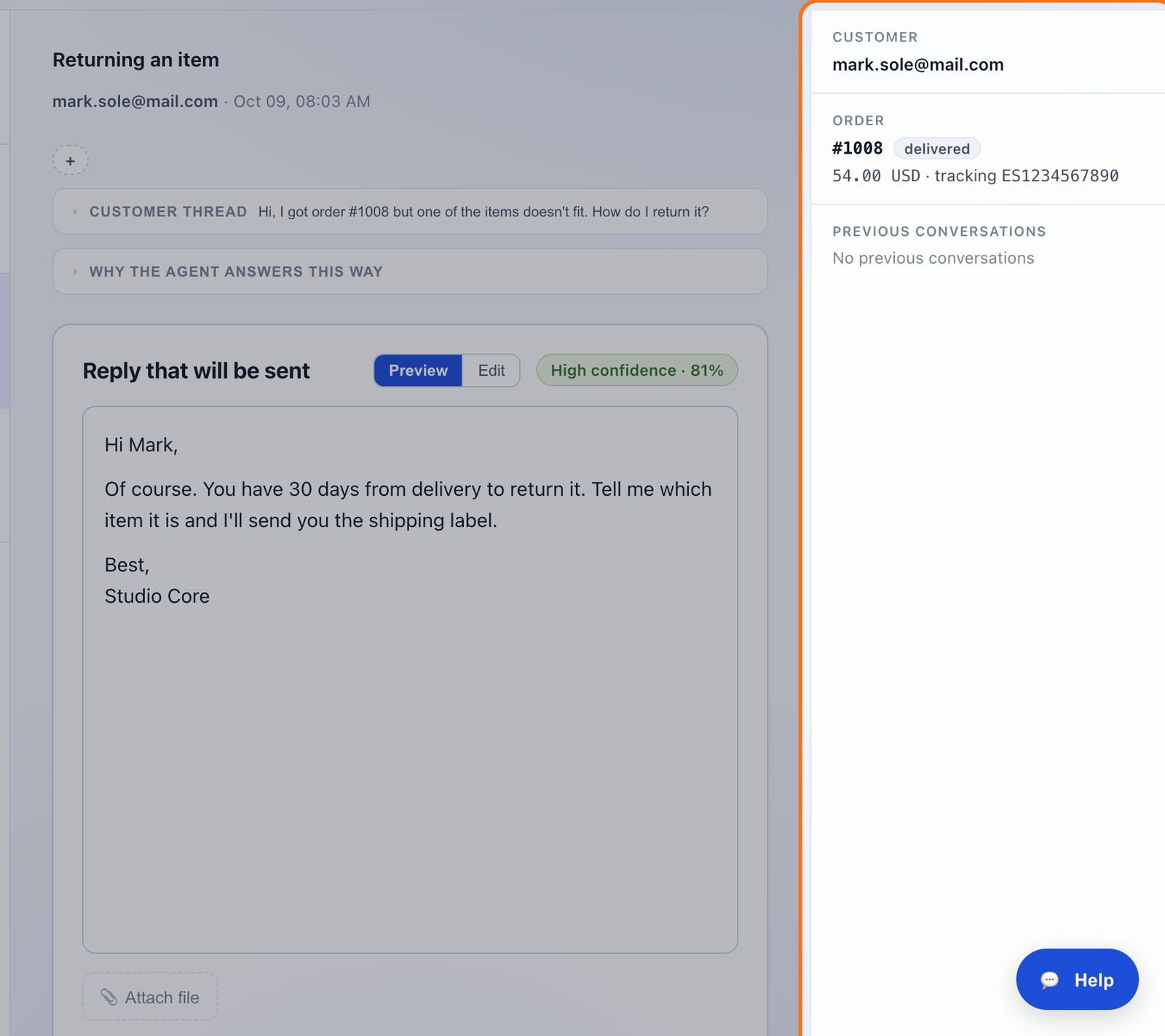
The panel is on every email, in the same place. If there are no previous conversations, it says so. That way the buttons don't move from one email to the next.
How mailipy knows it's the same customer
By email address, within your store. It includes the conversations that have gone through mailipy since you installed it. If a customer writes from two addresses, they show up as two customers.
If the window is narrow and both columns don't fit, the panel folds into a button next to the sender that already shows the order number and how many conversations there are. Click it and it opens on top.
Questions
Does the agent use these conversations to write the draft?
No. The panel is for you. The draft is written as usual, with the email, the order and what it has learned from your edits.
Do emails I answered from Gmail show up?
No. Only the conversations that went through mailipy.
And cart emails?
Yes. You see the ones they got, in order, and whether they bought.
Does it cost anything?
No. It's on every plan and it doesn't use up drafts.