How to write it
Click “New email”, at the top right of the queue. Enter the address, the subject and the text. At the top you see which address it will go out from.
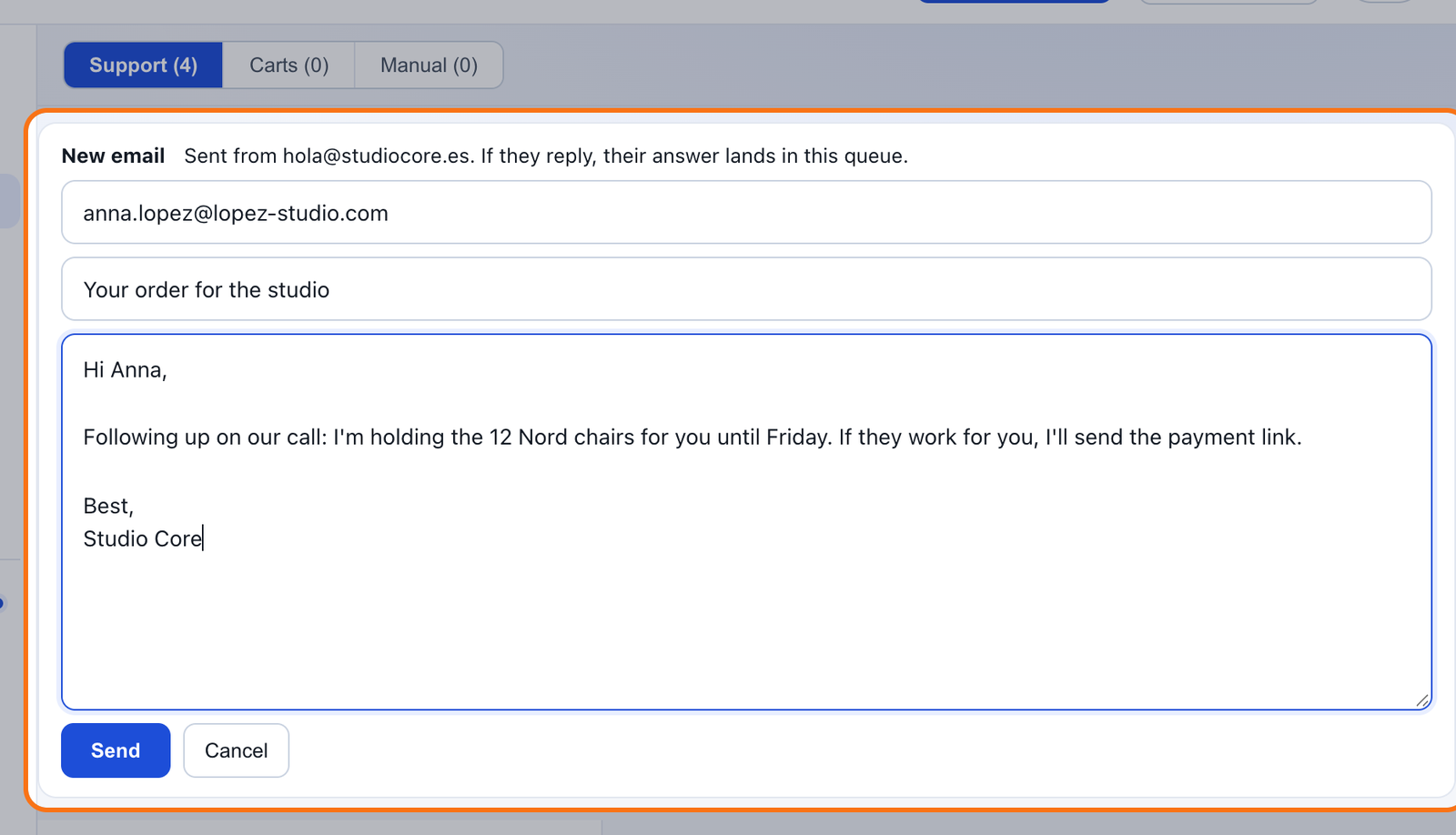
- It goes out from your address, with your store's name.
- It stays in History, where you can follow up or set a reminder.
- If they reply, their answer lands in the queue with its draft.
Why it has to go out from your domain
An email to someone who hasn't written to you is the kind spam filters look at hardest. If it goes out from your domain, with SPF and DMARC published, it's clear you sent it. If it went out from an address shared by many stores, one store's mistake would affect everyone's emails.
That's why “New email” always goes out through your own mail server, never from a mailipy address.
If something's missing
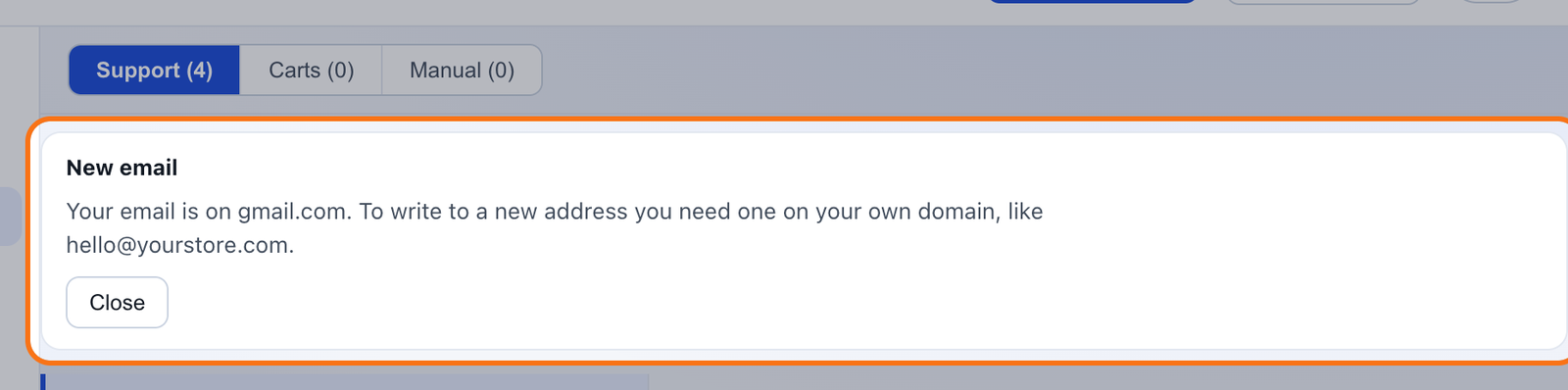
When you click “New email”, mailipy checks your setup right then and tells you what's missing.
| What you see | What to do |
|---|---|
| Your replies go out from mailipy | Connect your own sender in Settings → Account → Support email. |
| Your email is on Gmail, Outlook or another provider | You need an address on your domain, like hello@yourstore.com. |
| Your domain is missing SPF and DMARC | Settings shows the records to publish. Once they're in place, click “New email” again. |
What it costs
Nothing extra. It's on every plan and it doesn't use up drafts: you write the email yourself.
Questions
Can I use it to send a promotion to many customers?
That's not what it's for. It's a one-to-one email, with no unsubscribe link.
Which address does it go out from?
From your connected mailbox, or from your own sender if you connected your email by forwarding. Never from a mailipy address.
Does the AI write it?
No. You write it.
What happens if they reply?
Their reply lands in your queue like any email, with its draft.