When you send the reply
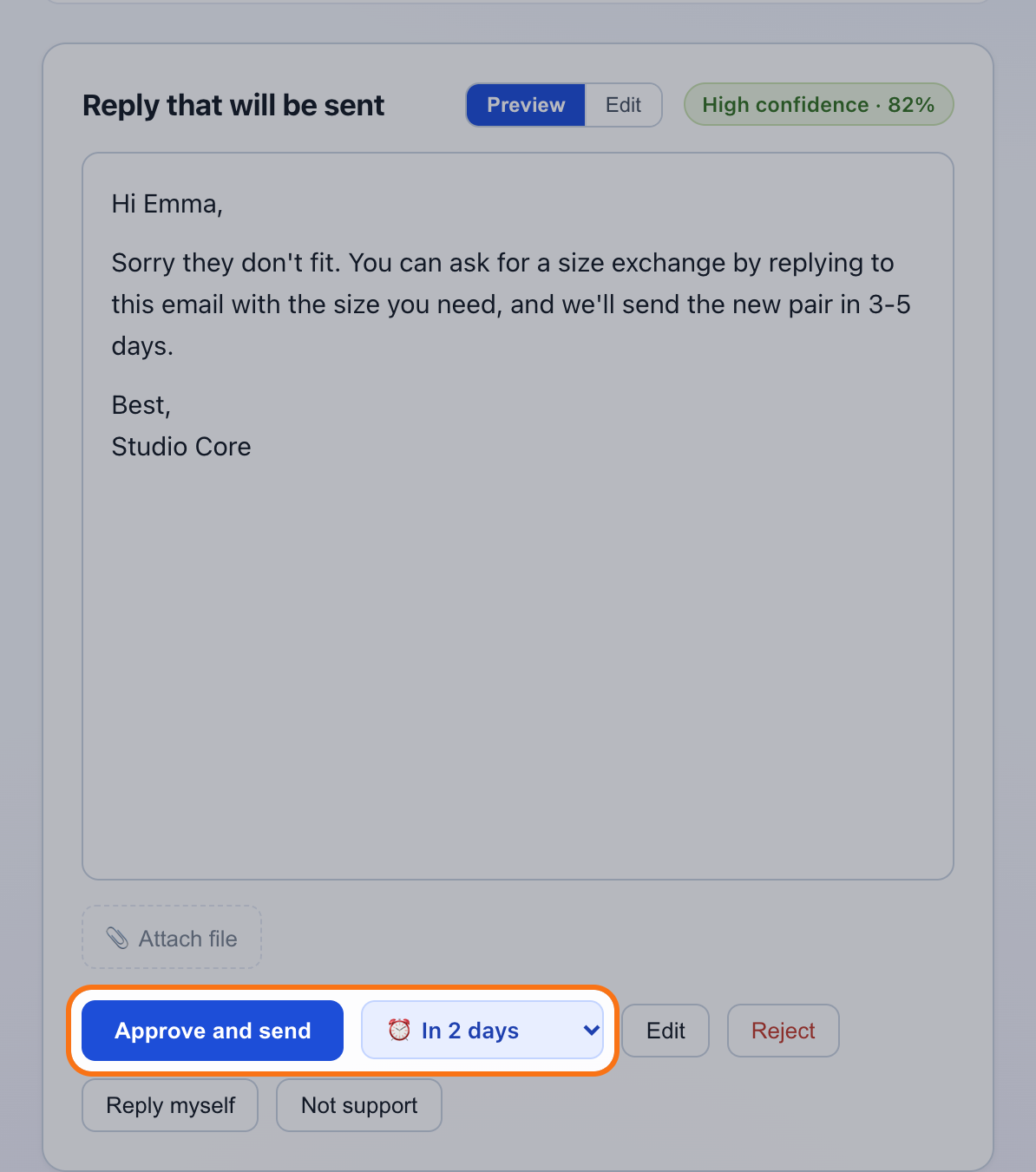
Next to “Approve and send” there's “⏰ Remind me…”. Choose tomorrow, in 2 or 3 days, in 1 week or in 2 weeks, and send as usual. Your reply goes out right away and the reminder is set for 8:00 AM that day, your time.
On the day of the reminder
It shows up in your queue, under “Support”, with the “Reminder” label. You have the whole conversation in front of you, including what you promised, and the order freshly read from Shopify: if it has a tracking number by now, you'll see it there.
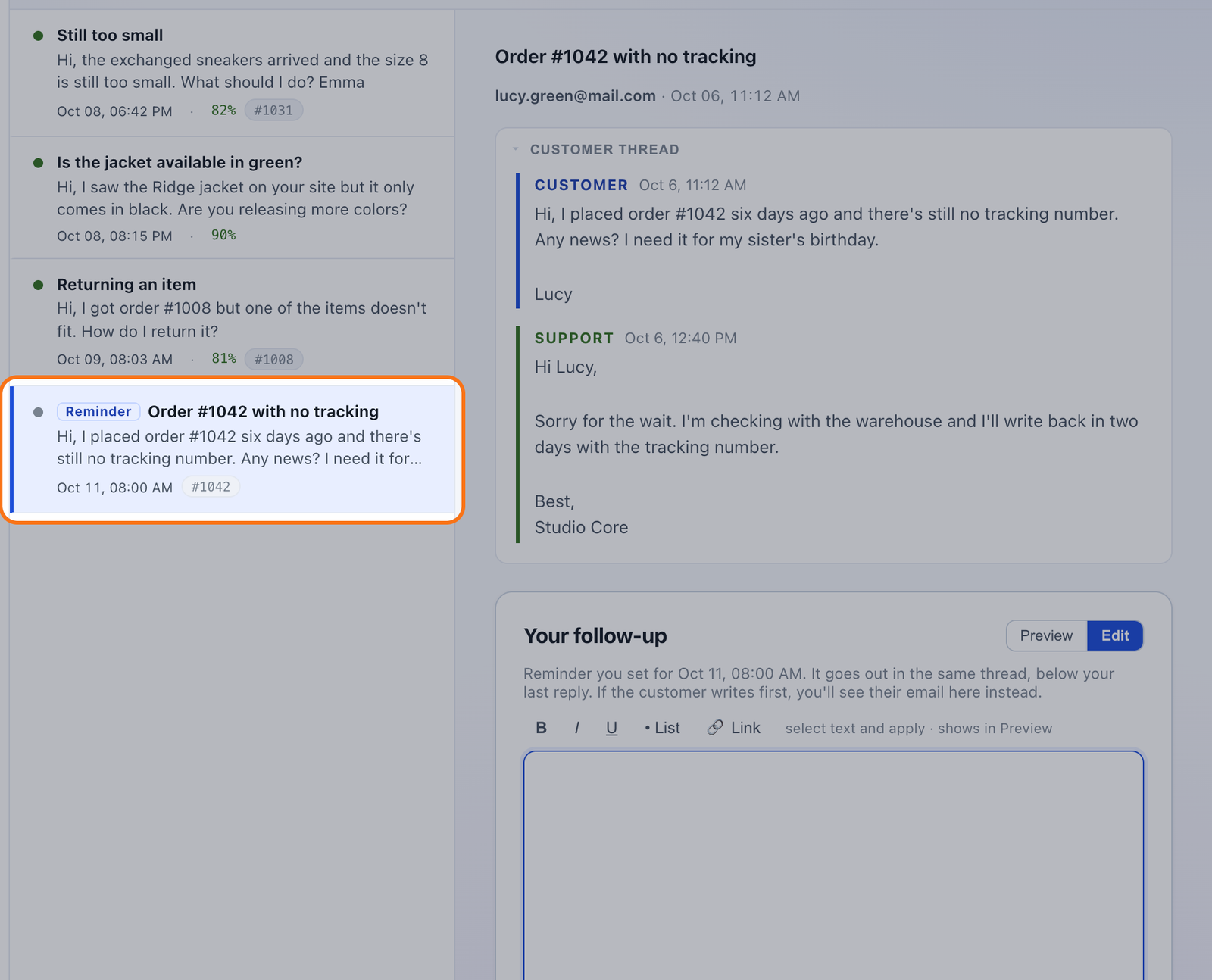
- It reaches them as a reply in the same conversation, not as a separate email.
- The order, updated to the day of the reminder.
- You write it. Nothing is sent on its own.
If the customer writes first
Then you don't get the reminder: you get their email, with the draft to answer it. The reminder cancels itself, so you don't write to them twice about the same thing.
From History
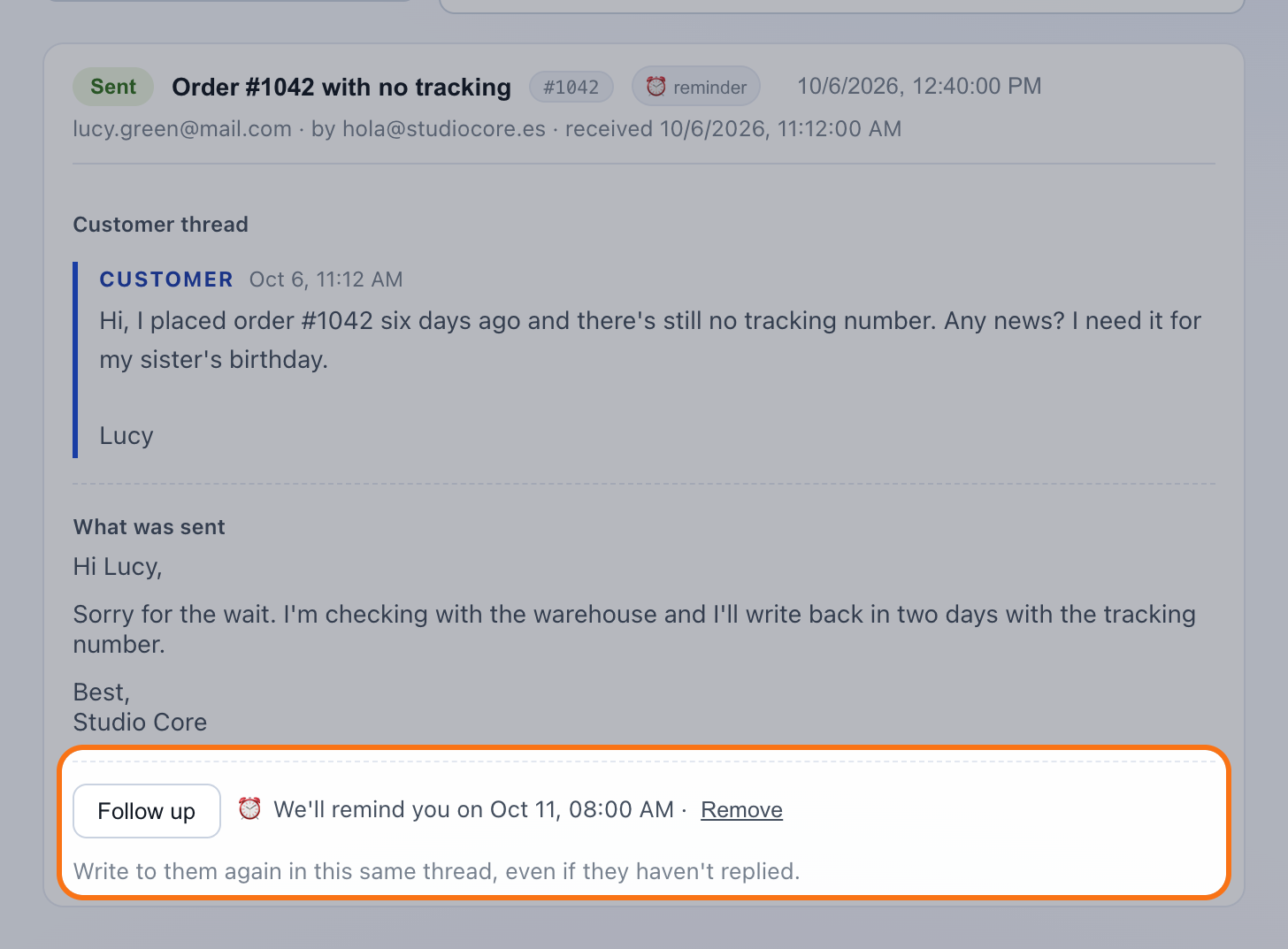
Every reply you've sent has “Follow up”, to write to them now, and “Remind me”, to have it come back another day. If it already has a reminder, you see when and you can remove it.
What it costs
Nothing extra. It's on every plan, including the free one, and it doesn't use up drafts: you write the follow-up yourself.
Questions
Is anything sent automatically?
No. The reminder only brings the email back to your queue. You write it and send it.
What time does it come back?
At 8:00 AM your time, on the day you chose. If mailipy isn't open then, you'll see it next time you log in.
Which delays can I choose?
Tomorrow, in 2 or 3 days, in 1 week or in 2 weeks.
What if I no longer need it?
Remove it from History, or discard it when it shows up in the queue.
Does the customer know about the reminder?
No. They only get the email you send them.